Prepare · Aesthetary Original
Organize the project folder
You'll lay out one project folder where someone else can find the brief, the facts, the decisions and the site.
In this skill
Could someone else find their way?
One place for each kind of file, real files in, secrets out.
Transcript
Here's my AllWeb project as it sat on my computer: the site, a component lab, the photos, two long documents, and three screenshots with machine-made names. It works while you're in the middle of it. Now ask where the next person would find the facts, or the decisions, and there's no clear answer.
Give each kind of file one place, and make the folders first: research, with every fact's source, a plan folder for what you decide to build, decisions, one short dated note each, and a log of what the AI got wrong. Then the files that sit at the top: the instruction file and the accounts list from the last two lessons, and the brief. Now copy the real files in, without rewriting anything or adding a fact. The audit and the three dated screenshots go into research. The manuscript goes into plan. The site goes in whole, except the secrets file and the host's link folder.
Now list it. Brief, research, plan, decisions, log and site, plus the instruction file and the accounts list. The decisions folder is empty, and that's honest: the first note goes in with the first call you make. And no secrets file came along. The same layout works as folders on your computer, as a shared document with these headings, or as a builder's project space. What matters is that someone else could open it and find the facts, the decisions and the site without asking you.
One place for each kind of file: the brief, research, plan, decisions, the AI log and the site. Copy the real files in, add nothing, and leave secrets out.
Next 3
Everything in Prepare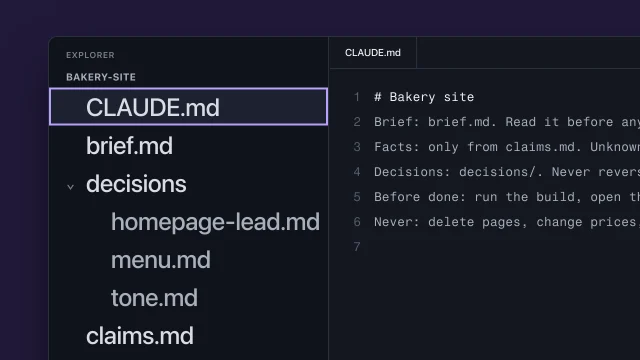 Keep your project in files the AI can readKeep a project in files so every AI session starts from what you already decided.4 min video
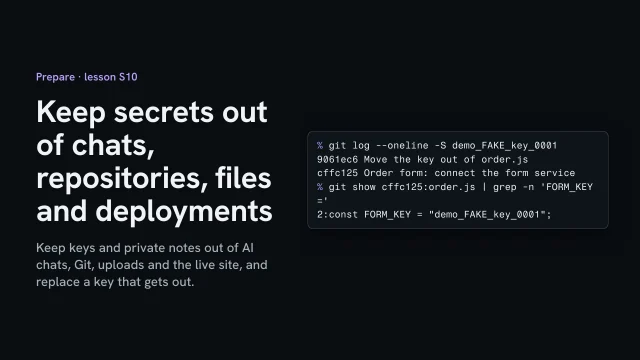 Keep secrets out of chats, repositories, files and deploymentsKeep keys and private notes out of AI chats, Git, uploads and the live site, and replace a key that gets out.3 min video
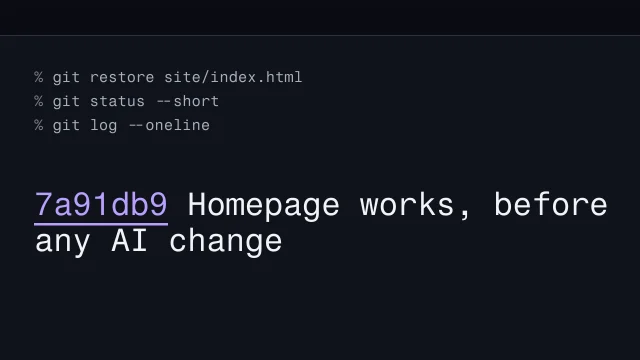 Save a version before every change, and go backSave a version named for what works before an AI change, and go back to it once on purpose.2 min video