Changelog
What changed in Aesthetary, release by release, newest first. When something has changed since, the entry keeps what it said and adds a line about now.
Eighteen new lessons, and a menu in four parts
New
-
68 new lesson videos
Of the 68, 18 are new lessons and 50 replace older videos. The new videos show the work being done on screen, narrated and captioned.
-
Work
Work keeps what you make here. Outputs lists the worksheets you’ve filled in on the phase pages, and Download all my work saves them in one file with your ticks and saves. Saved is the new name for Favorites. Both stay in this browser.
-
Twelve palettes
Color palettes taken from the Aesthetics’ cited color rules, each on its own page: its proportions, a sample website set in it, contrast by use, and the colors that aren’t for text.
-
Copy & Content
Website copy, before and after: 22 examples in six sections, from the headline on the first screen to being quoted in AI answers. Each one says what changed and why the second version works better.
Improved
-
A menu in four parts
The side menu now reads Learn, Explore, Work and Engage. Learn holds the eight phases: Prepare, Research, Plan, Structure, Design, Build, Test and Improve. Explore gains Mix and Copy, and Engage holds Community and Contributors.
-
Resources for the words
Twelve more tools for the copy side of a site, from Hemingway and LanguageTool to Screaming Frog, Microsoft Clarity and PostHog. Resources now lists 233.
-
Workshops
Each format on the Workshops page is now one card that opens its details, and the page says up front that sessions run in English, in Tirana or online.
Fixed
-
Addresses without .html
aesthetary.com/workshops and every other address now work without .html on the end, and a mistyped address shows a proper not-found page however deep it is.
Where the Aesthetics stand
Research
-
Where the Aesthetics stand
Aesthetics currently features 20 entries in its public collection. Other entries remain in development or review.
Six website blueprints
New
-
Website blueprints
Six blueprints for ordinary kinds of site: trades, venues, listings, portfolios, practices and software. Each shows the pages you might need and what goes on them. Answer a few questions and the plan redraws, then download it as JSON for your coding agent or as Markdown to read. Each one says plainly that no site has been built from it yet.
-
Elements by area
Elements has a page for each of its eight areas, from Typography to Techniques. Typography shows 32 typefaces, how they pair and how type is scaled.
Improved
-
A new home page and menu
The home page says it in two lines: AI-generated websites can look good without being good. Learn how to make yours good. Under them the eight stages run as a loop from Prepare to Improve, and the side menu lists the library with a count beside each part.
Fixed
-
Feedback from the Help menu
Help, then Feedback, opens the feedback panel again, and one press of Escape now closes one layer, not two.
Every stage, a checklist
New
-
A checklist for every stage
Each stage page is now a short list of tasks, each with the lesson that teaches it and what finished looks like. Tick a task and the side menu counts it, and some tasks have a worksheet to fill in. Ticks and answers stay in this browser.
-
Workshops
Workshops for universities, institutions and teams, from a guest lecture to a program of several sessions in which each team takes one project through every stage. Write to ask for one.
Improved
-
Start here
Start here asks what you want to do: make a website, learn, find a visual direction, or teach others. Each answer goes straight to its own place.
-
Who it’s for, in four
Fourteen audience pages became four: business owners and startups, web professionals, students and educators, and organizations and programs. Each says what goes wrong for them and where to start, and the old addresses forward to the new ones.
Eight stages, one bakery
New
-
Elements
The parts Aesthetics are built from (a grid, a print effect, a surface, a typeface), sorted into eight areas on one page. The ones with a specimen are drawn, so you can see what the name means.
Now: Since October 27 each area has its own page.
-
The IA Library
Plans for common kinds of website: which pages a site needs, in what order, and what each page has to do. Each plan says how much evidence stands behind it.
Now: Since October 25 it opens on six website blueprints, and since November 1 the menu calls it Layouts.
-
Glossary
Plain definitions of the words the stages and lessons use, in one place.
Improved
-
Stage pages, rebuilt
All eight stage pages share one layout and follow the same fictional bakery’s website, from its first research to its upkeep, so you can watch one project go through the whole method.
-
Favorites by type
Favorites sorts what you’ve saved by type, and Save now works on Elements and the site plans as well as on Aesthetics.
Now: Since November 1 it is called Saved.
-
Privacy, page by page
Privacy, Terms, Licensing and Accessibility each have their own page. YouTube videos load only when you press play, and new comments, image uploads and email updates are paused for now.
Fixed
-
Contrast and controls
Gray text is dark enough to read, the menu drawer’s labels are real buttons, and Mix’s comparison scrolls as one piece on a phone.
The seven stages, drawn as a loop
Improved
-
A new home page
The home page now fits on one screen: Question, Decide, Structure, Style, Make, Test and Repeat, drawn as a loop, and each step opens its stage. With reduced motion turned on you get the finished diagram, no animation.
-
Two lessons renamed
Two Learn lessons had titles close enough to pass for the same lesson. They are now “Decide first, then ask the AI” and “Steer a coding agent with plan mode and Esc”, and their old links still work.
Seven stages, from research to launch
Aesthetary is now a method for making a website with AI, from the first research to keeping it running. The visual languages are still here, inside the Design stage.
New
-
Seven stages
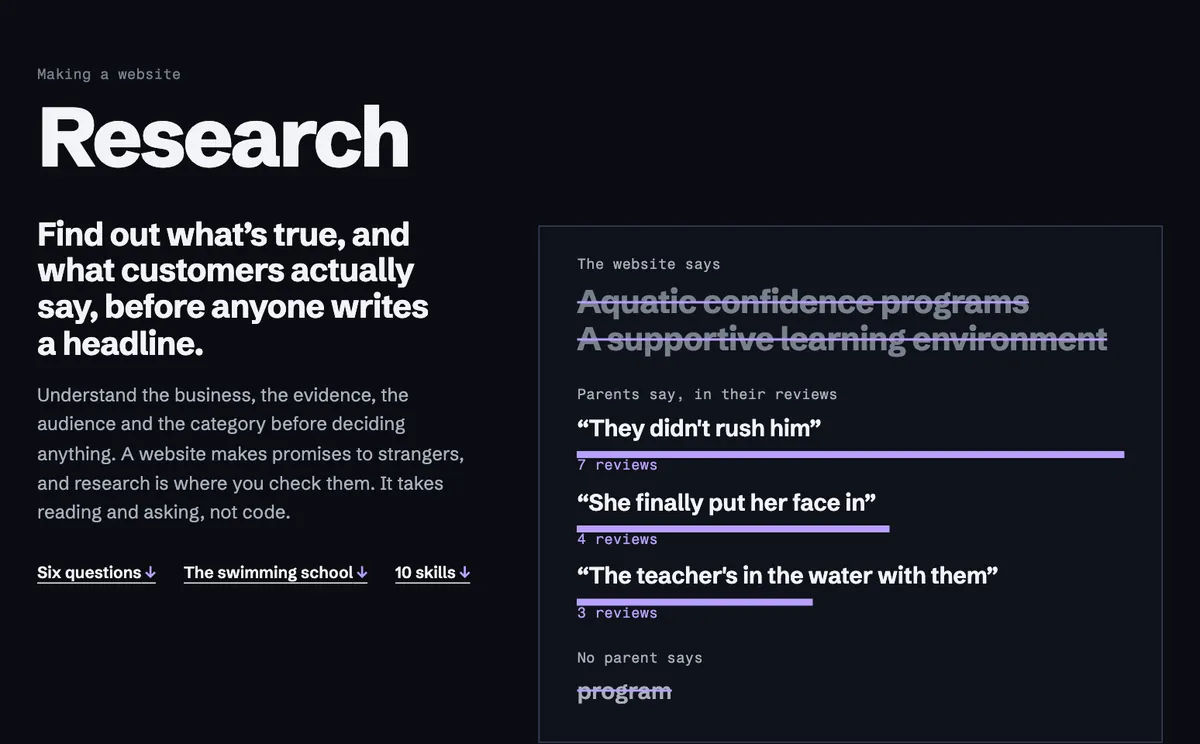
Research, Strategy, IA, Design, Build, QA and Maintain each have a page saying what the stage needs, what it makes and what it hands on. Each stage ends in a file you keep in your project.
-
Skills for each stage
Short lessons grouped by stage. Most are silent visual walkthroughs with captions; the rest point to the official guide from the people who make the tool.
-
Who it’s for
A page for designers, developers, freelancers, agencies, business owners, students, educators, universities and workforce programs, each with its route through the stages.
-
A short introduction
On your first visit, three screens: what Aesthetary is, the seven stages, and where to start. It shows once, and What is Aesthetary? in the ? menu brings it back.
Improved
-
A new home page
It opens with what Aesthetary helps you do and the seven stages, with Swiss Style and the opening of its agent guide as the example. The gallery of Aesthetics has its own page.
Now: Replaced on October 6 by the current home page, which draws the work as one loop: question, decide, structure, style, make, test, repeat.
-
Resources by stage
Tools, testers and official documentation are grouped by the stage you would use them in, with an image from each provider.
-
In R&D
The Reference Library is now called In R&D: visual languages that are researched but still being explored. Only the 20 Ready to Build appear in search results.
Fixed
-
Accessibility
Stronger contrast on navigation counts and on several Aesthetic pages, visible focus on embedded videos, and a skip link at the start of every page.
Twenty Aesthetics, ready to build
New
-
Ready to Build
Aesthetics now shows the 20 we picked as ready to build, and search and Mix offer the same 20. The other 53 records keep their pages and their data.
-
Build with it
Each Ready to Build page has a Build with it section: a small component library drawn in that page’s own style, with buttons, type, color and layout pieces you can start from.
-
Its own address
The site now lives at aesthetary.com. Links to the old address still work and forward here.
-
Every record as data
Each Aesthetic is published as a JSON file listing every claim, how it is known, and the sources that support or dispute it.
-
Product updates by email
Leave an address in the side rail to hear when something new works. Occasional, and nothing else.
Improved
-
New openings for all 20
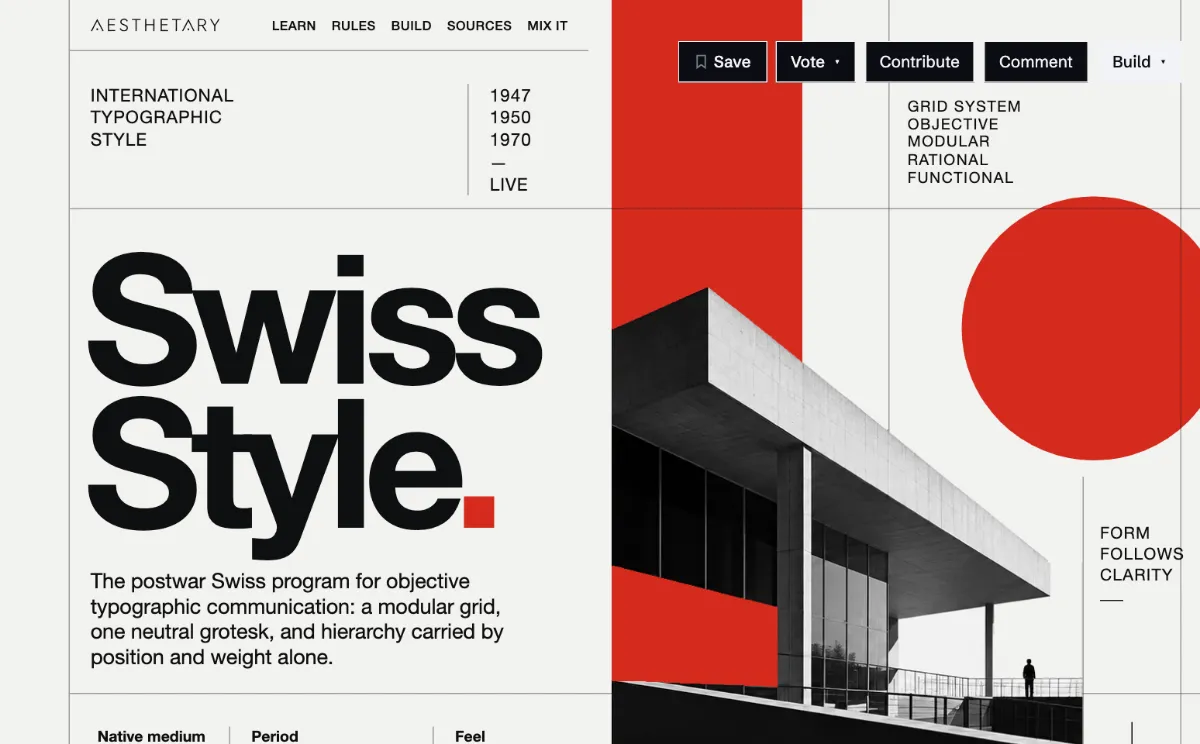
Each Ready to Build page opens with a new first screen in its own style, with a mock site nav along the top and Save, Vote, Contribute, Comment and Build in a bar under it. The cards in the gallery are stills of those openings.
-
The same ten parts on every page
Every Aesthetic page now runs in the same order, from How you recognize it to Contribute, so you know where to look. Where the record has nothing to say, the page says so instead of dropping the part.
Research
-
A second look at the evidence
We rechecked the sources behind 56 Aesthetics. Claims that went further than their evidence were narrowed or corrected, and questions we couldn’t settle now appear on the page as open questions instead of being answered anyway.
Community
-
Cultural review
17 Aesthetics come from specific cultures and communities. New research on them now waits for review by people with the standing to judge it, and you can offer to be one of them.
-
Feedback from any page
A Feedback button sits in the corner of every page. You can leave a note without signing in or giving your name, and if you’ve hit a bug you can attach, paste or drop a screenshot of it.
Fixed
-
Navigation on portrait iPads
Between 769 and 960 pixels wide, the page actions sat on top of the Menu button, so you couldn’t open the site navigation. They now move to a bar at the bottom.
Aesthetary goes public
The collection went online on September 24.
New
-
One page for each Aesthetic
Every Aesthetic has a single page with its rules, the evidence behind them and the gaps that still need research. Each page is laid out in the style it describes, so the Bauhaus page looks like Bauhaus.
-
A brief for your AI tool
Every Aesthetic downloads as a Markdown brief that separates what is established from what is our reading, so a coding agent doesn’t fill the gaps with guesses.
-
Mix
Put two or more Aesthetics side by side and see where their rules agree and where they collide. Every Mix has its own link, and Copy link shares it.
-
Workflow
A route from picking a direction to briefing an AI tool and checking what it made.
Now: The seven stages took over this job on October 5, from research to keeping a site running.
-
Favorites
Save Aesthetics to a list. It is kept in your browser, so there is no account to make.
Improved
-
A new front page
The homepage opens with a short film, and the side rail lists every Aesthetic from A to Z, with search a keystroke away.
Now: Both have since changed. The film is gone from the home page, and the side rail now follows the seven stages.
Research
-
Six more Aesthetics
Bauhaus, Developer Dark, Fashion Editorial, Internetcore, Quiet Luxury and Retrofuturism joined the collection, which now holds 73.
Now: Since October 1 the public collection is the 20 Aesthetics ready to build. The others are still being researched or reviewed.
Community
-
Vote, comment, contribute
Each Aesthetic page asks for your verdict (love it, close but needs work, hate it), and takes comments and examples you think belong.