Improve · Aesthetary Original
Set a post-launch check routine
You'll put every check on a trigger and a named person, and know what to record when a small site has no field data.
In this skill
Every check gets a trigger, so nobody has to remember it.
- Copy, prices or hours
- A new page or section
- Layout, fonts or images
- Claims list, marker search
- The whole pre-send gate
- Every width, and speed
Put every check on a trigger and a person who agreed. Expect no field data on small sites.
1 more scene is in the video and the transcript.
The mechanics, from the source
These come from the organizations that make the tools. They teach how the tool works; the skill above is about when and why to use it.
Official resource · Google ChromeOfficial tool · Tester
LighthouseDocs · 5 min read
Running Lighthouse from DevTools, the command line or PageSpeed Insights.
Official resource · GoogleOfficial tool · Tool
CrUX VisTool
Shows how real visitors experience a public site over time.
Official resource · GoogleOfficial tool · Tool
Google Search ConsoleTool
The authoritative source for search performance after launch.
Official resource · W3CStandard · Tester
Link CheckerTester
Broken links are cheap to find and embarrassing to ship.
Transcript
Launch day is the most carefully a site will ever be checked. Then someone edits a page, a photo goes up at full size, a template changes, and nobody runs the gate again.
Nobody publishes a routine for after launch, so build one. Every check from your pre-send gate goes on one of three triggers: after each change goes live, every month, or when a particular thing changes. Add the checks launch day didn't need: software updates, renewals, and whether the order form still delivers. Once a check has a trigger, nobody has to remember that it exists. They only have to notice the trigger, and many triggers can be automated.
After each change, let a machine do it. An automated check that runs on every change can load the pages a few times and fail when a result crosses a line you set. That line is a budget. Take it from Google's good thresholds, the ones from the speed lesson: two and a half seconds for the largest content to appear, and point one for layout shift. Keep the search for leftover confirm markers here too, and a link check, because both break quietly. With no automated pipeline, run the same checks by hand against the same budget.
Here's that budget written as a settings file for one widely used checker. It asserts two numbers, and 'error' means crossing either one fails the change. It takes the median of several runs, because speed results vary from run to run. And it keeps the reports in a folder on your machine instead of at a public link. The tool demo sets it up step by step. Whatever runs it, a budget is a lab number. It tells you a change made things worse, which is its job here. It can't tell you what real visitors felt.
Monthly is for what only time shows. Read the search results one page at a time. Look at real visitors' speed: Google groups similar pages and labels each group good, needs improvement or poor, from the last twenty-eight days of Chrome data. Send a test order, marked as a test, and see it arrive, because a form can stop delivering without anyone noticing. Install the updates the site's software needs, and look for anything renewing soon, the domain above all. Then check the person named on the routine is still the right one.
Most small sites will look for that speed data and find nothing, and that's expected. Chrome's data only includes pages that are publicly indexable and get enough visitors, and Google doesn't publish the threshold. It only counts Chrome users who share usage statistics and sync their history, and nothing from Chrome on iPhones. So no data means neither good nor bad. Record it as no field data, and lean on the lab budget and a test on a real phone.
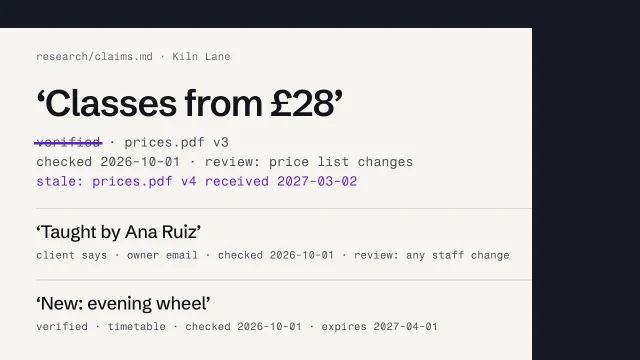
The third trigger is change. Some checks are too slow or too human to run every time, but they're cheap once you know what moved. Edited copy, prices or hours means the claims list and the marker search again. At the bakery, the owner is the one who knows when the hours change. A new page means the whole pre-send gate, as if it were a launch. A change to the layout, the fonts or the images means every screen width again and a speed check, because those changes reach every page at once.
Write the routine into the handover file, with a name beside each part, and get each yes in writing. Here's the bakery's. The owner edits the bread list and the hours herself, so she does the monthly read. Her nephew builds websites, so he's called for anything structural and runs the checks after it. The first monthly read is on the second of November. A routine without a name on it stops the month you move on to the next client.
Put every check on a trigger and a person who agreed. Expect no field data on small sites.
Next 5
Everything in Improve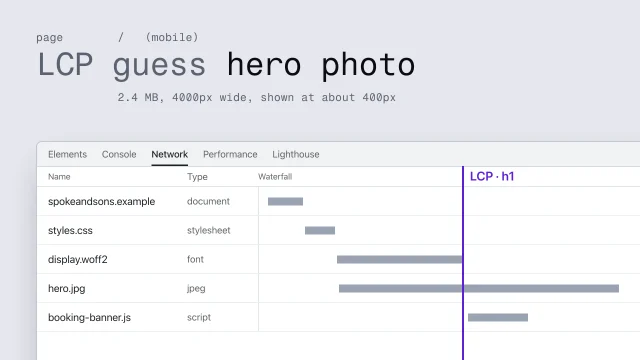 Predict, measure and fix performanceFind what makes a page slow and fix it at its origin.4 min video
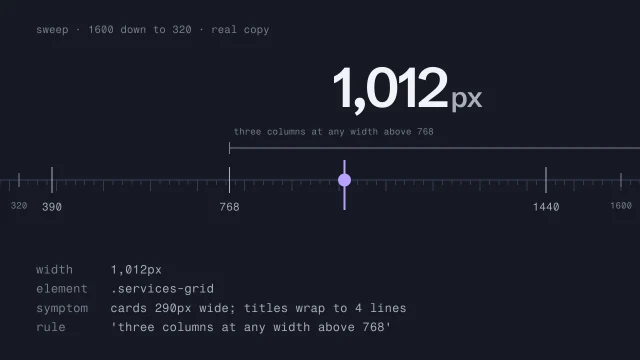 Test responsive behavior across every widthFind the exact width where a layout breaks.3 min video
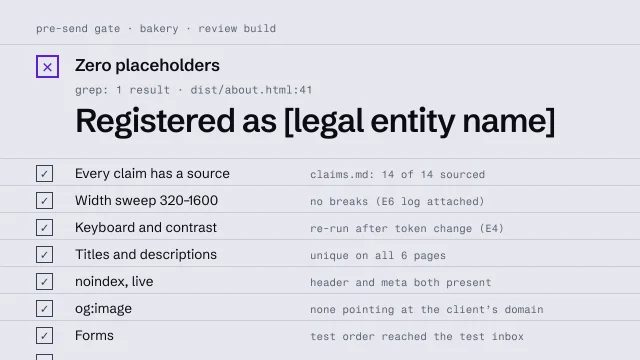 Run a pre-send gateCheck a build against a fixed list before anyone outside sees it.4 min video
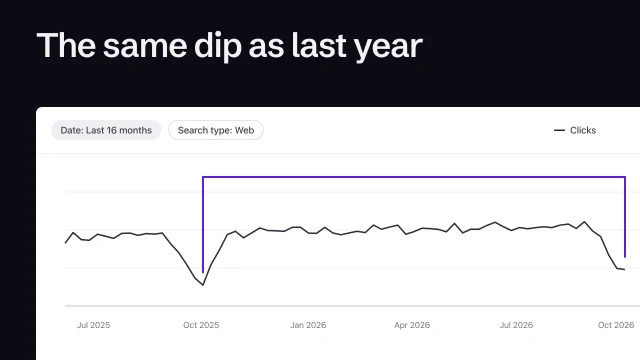 Read Search Console without fooling yourselfRead each page's queries against its job, and tell a real drop from noise.3 min video
 Keep content and evidence true over timeDate every claim, set what triggers its review, and mark what goes stale when a source changes.3 min video