Prepare · Aesthetary Original
Write the instructions your AI reads every session
You'll write the short file every AI session reads first, and test it on a fresh session.
In this skill
A fresh session answers from the file
Short, specific, pointing to files, and tested on a fresh session.
Transcript
Every new AI session starts with no memory of your project. What carries over is a short file it reads first. Here's the one for the AllWeb project, written from its brief.
Start from the brief, but don't paste it in. It's a hundred lines on type, color and photos. Take only what the AI needs every time, and point to the rest. So, the job in two lines, and where the full brief is. Then the fact source, and the rule for a missing fact: leave it out, or mark it to confirm and say so. Name the claim you've already refused, so it can't sneak back. Decisions already made, so nobody reverses them quietly: the headline, the two typefaces, one display size, the photo rules. Then the checks before it says done: look at the preview at three widths, and check the credit and the noindex are still there. Last, a never list, short and specific.
Now test it. Start a fresh session, say nothing first, and ask what the project is. It answers from the file: speculative, the fact source, the refused claim, the never list. If it gets something wrong, fix the file, not the chat. Each builder reads this from its own place. A terminal agent reads a file like this one in the project folder. A chat builder has a project instructions box. The words are the same. The lesson on project files covers two agents in detail.
Write the file every session reads first: the job, the fact source, decisions, checks and the never list. Keep it short, point to files, and test it on a fresh session.
Next 3
Everything in Prepare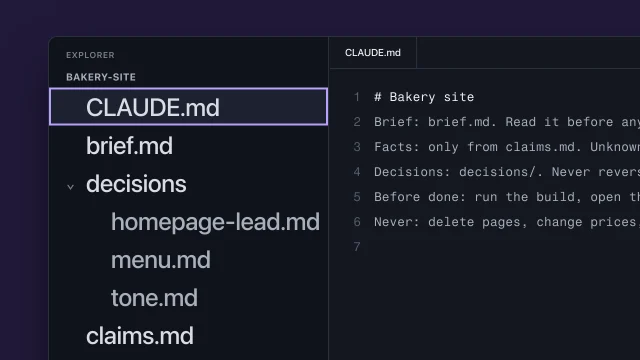 Keep your project in files the AI can readKeep a project in files so every AI session starts from what you already decided.4 min video
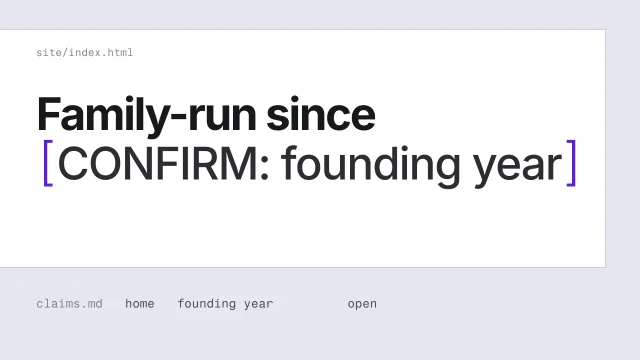 Never invent a factHandle a fact you can't confirm without putting a believable guess on the page.3 min video
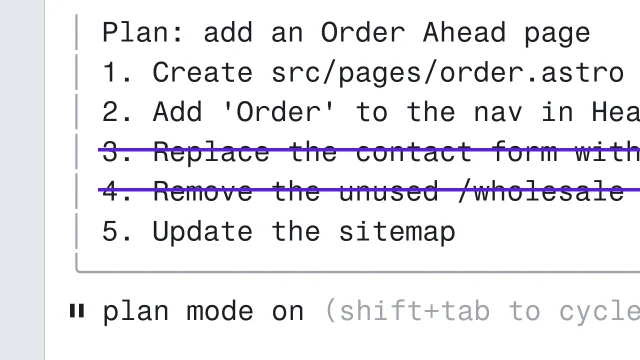 Steer a coding agent with plan mode and EscCheck which mode Claude Code or Codex is in, and strike any plan step you never asked for.3 min video