Test · Aesthetary Original
Fix accessibility at the source
You'll be able to scan a site against WCAG 2.2 AA and fix each failure once, at the token, component or content that caused it.
In this skill
Every failure started somewhere. Fix it there.
Scan first, against WCAG 2.2 AA
- Set the checker to WCAG 2.2 AA
- Scan one page of each type
- Check contrast it can't measure
- Log each failure: page, rule
- Then keyboard, reader, zoom
Trace it back
- Find the failing element
- Ask what produced it
- Find everywhere else it's used
- Fix that one source
- Re-test everywhere it reaches
Scan against WCAG 2.2 AA. Fix each failure where it started, once, then re-test.
2 more scenes are in the video and the transcript.
The mechanics, from the source
These come from the organizations that make the tools. They teach how the tool works; the skill above is about when and why to use it.
Official resource · W3C WAIStandard · Guide
Web Accessibility TutorialsTutorials · Reference
How to build accessible page structure, menus, images, tables and forms.
Transcript
Before anyone else uses the site, find out what fails. You'll get a list. Gray captions too faint to read. Quantity buttons with no name, ten of them. The quick fix is to patch each one where you found it. Then you build the next page, and every failure comes back.
Start with an automated accessibility checker. Set it to WCAG 2.2, level AA, the W3C's current standard and the usual target for a client site. Scan one page of each type: home, a list, a form, an info page. It finds what a machine can measure, like text contrast, images with no alt text, fields with no label and buttons with no name. Where it can't measure, as with text over a photo, check the contrast yourself with a contrast checker. Write each failure down with its page, the element and the rule it breaks. That list is evidence, not a verdict. W3C says plainly that tools alone can't tell you a site is accessible, so the keyboard, screen reader and zoom checks still follow. Here, the keyboard reaches the order buttons, and nothing shows where you are. A screen reader is told only button, twice for every loaf. And at two hundred percent zoom, the order notice is cut off mid-line.
Each failure on that list is the visible end of a decision made upstream, in a color value, a component, or the way content gets written. Patch the page and the decision stays in place. Fix the decision and every page that uses it improves at once, including pages nobody has built yet.
Most of them start in one of three places. A token, like the color value every caption uses. A component, like the button every page shares. Or content: the alt text someone typed, or didn't, and the words chosen for links and headings. Work out which one it is before you touch anything.
So trace it. Start with the failing element. Ask what produced it. Open the styles and see whether the color is typed in by hand or comes from a token, and whether the button is a one-off or the shared component. Then search the project for everywhere else that source is used. Fix the one source. Then re-test, and not only where you found it.
Here's the fictional bakery. The scan flags the captions on its bread list: a gray the builder added that isn't on Design's color list, at about three point one to one on the page's background. WCAG asks for four and a half to one for normal text. Three to one is allowed only for large text. These captions aren't large. So the fix goes in the token, not the page. The stray gray goes, the caption token points at the text color from Design's list, at about fourteen point six to one, and every caption on the site moves with it.
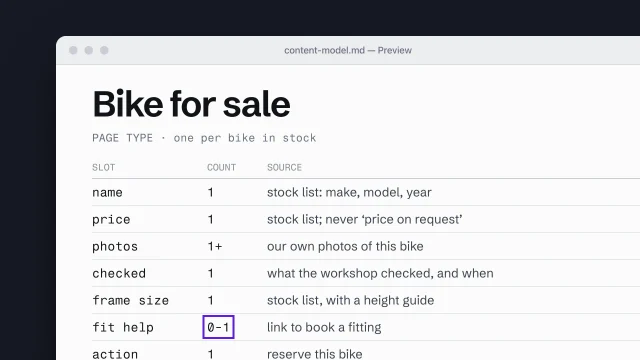
The same move works for every kind of failure. A patch fixes a single place and leaves the cause alone. The fix lives where the failure started. The focus style goes into the shared button rule, so no button can ship without it. The quantity buttons take their names from the loaf they belong to, in the one template that writes every row. And if images keep arriving without descriptions, alt text becomes a required slot in the content model, so nobody can fill in the page without writing one.
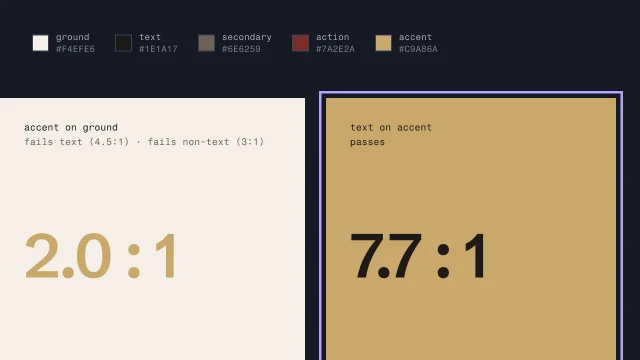
Sometimes the source is a brand color that fails at text size and isn't changing, like the bakery's gold. Then the fix goes into the color roles, as the color lesson shows: the gold keeps the jobs it passes, and a darker color takes the small text. A third-party widget you can't edit is different again. Log it, tell the client, and if it blocks the site's one job, replace it.
Then re-test, wider than feels necessary. A darker token can land on a dark background somewhere you'd forgotten, so check everywhere the fix reaches, and do a keyboard pass on any component you changed. Run the scan again. Here, the captions, the buttons and the zoom are fixed. One thing is left: the sold-out loaf, in a gray that isn't on Design's list either. You're done when it comes back clean, or every failure it still finds is listed with its reason, and each page type has its keyboard, screen reader and zoom lines in the QA record.
Scan against WCAG 2.2 AA, and read the result as evidence. For each failure, ask what made it. Fix that once, then test everywhere it reaches.
Next 4
Everything in Test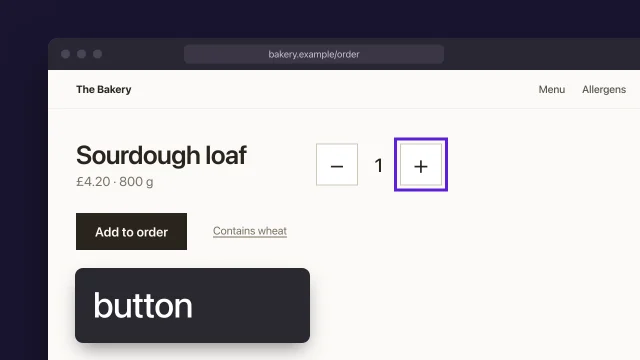 Test a page with keyboard and screen readerFind the accessibility failures only a person can find, with a keyboard, a screen reader and zoom, and record each one as your own check.4 min video
 Build color roles and check contrastGive each color a job from the brand's real colors, and make sure text can be read.4 min video
 Build a content model from page types and slotsDescribe each page type as the content slots it must hold.4 min video
 Build components from content slots, with every stateDerive components from the content model and finish every state they can be in.3 min video