Build · Aesthetary Original
Put the review build online
You'll be able to put a draft online for the client, keep it out of search, and keep your keys out of its page source.
In this skill
A demo clone outranked the photographer's own website.
- A fresh address per version
- For you and the client
- Some hosts add noindex
- The address you launch on
- What the public will use
- Often nothing added
- My host hides drafts
- robots.txt keeps it out
- Noindex makes it private
- It depends on the host
- Then Google can't see noindex
- Anyone with the link gets in
Know which address you're sending, noindex it twice, and keep every key out of the page.
2 more scenes are in the video and the transcript.
The mechanics, from the source
These come from the organizations that make the tools. They teach how the tool works; the skill above is about when and why to use it.
Official resource · Google Search CentralOfficial documentation · Documentation
Block search indexing with noindexDocs · 4 min read
The noindex meta tag and header, and why robots.txt blocking hides noindex from Google.
Official resource · VercelOfficial documentation · Documentation
Are preview deployments indexed by search engines?Knowledge base · Short read
Vercel noindexes preview deployments by default, but not the live .vercel.app address.
Transcript
The client needs to see the site on their own phone, so it goes online, at a review address. The moment it has one, it's on the public web. Anyone with the link can open it, and so can a crawler that finds the link.
This happened. A demo of a photographer's site, built as a pitch, went up on a public address with nothing telling search engines to stay away. It started appearing in search above his own website. Nobody wanted that, least of all him. On a different project, a live client page went out with the words legal entity name still sitting in square brackets.
Most hosts give you two kinds of address. A preview is made for one version of the site, so you can check it and send it round. Production is the address the site launches on. Hosts treat them differently. Some add a noindex signal to previews and nothing to production, and that can include the free address the host gives a new project before it has a real domain. So find out which kind your review link is, and read your host's own page on what it adds. Don't assume. Whatever the host does, your review build carries its own noindex.
Noindex is the instruction that keeps a page out of the index. Google documents two ways to give it: a robots meta tag in the head of each page, or an X-Robots-Tag header on the response. Do both. The meta tag travels with the page if someone copies the build to another host. The header covers files that have no head, and Google's page names PDFs, images and video. Your host's settings can usually add the header for every file.
Three assumptions to drop. The host first: as you've seen, what it adds depends on the host and on the kind of address. Then robots.txt. Never block a review build there. Google is explicit: if robots.txt blocks a page, the crawler never sees the noindex on it, and the address can still show up if something links to it. Last, noindex is a request to search engines. Anyone with the link can still open the page. If it has to be private, use your host's access protection, a password or a login in front of the whole build.
Some sites need keys: long secret strings that let the site use a map, a form service or a database. A key written into the code that reaches the browser can be read by anyone with View Source, review build or not, and someone else's bill can land on your client. Secret keys live in your host's settings, as environment variables, where the server uses them and the page never shows them. A few services issue a public key that's meant to sit in the page, and their docs say so. Everything else stays out of the code.
Then check it, every time, in a browser, on the exact link you're about to send. Open the link. View the page source and search for robots: the meta tag should be there, saying noindex. Then check the header. Your browser's developer tools show it in the network panel, and one command in a terminal shows the same. X-Robots-Tag should say noindex. While the source is open, search it for key. If either noindex signal is missing, or a secret key turns up, the link doesn't go out.
Next, the link preview. When the client pastes your link into a chat, many apps read the page's Open Graph tags to build a card. If those tags point at the client's real domain, with their real logo as the image, the draft presents itself as their live site wherever the link travels. On a review build, leave the preview image off, or point it at an image hosted on the review build itself.
Then placeholders. Brackets survive when you only check the pages you expect to see. Search what actually ships for square brackets and for your CONFIRM marker. Include pages nothing links to yet, because they're still reachable by address. If a fact isn't confirmed, the sentence comes out. A missing line reads as unfinished. A bracket where the company's legal name should be reads as careless.
None of this stops the client seeing it. Send them the exact link. You're done when that link opens, you've seen both noindex signals on it, and no key is in its page source. Then put the removal on your launch checklist, because the same mistake runs the other way too: a noindex tag that ships with the real site keeps the client's new homepage out of search until somebody notices.
A review build is public as soon as it has an address. Know whether it's a preview or production, put noindex in the page and the header, keep every key out of the page, and check all of it in a browser on the exact link before it goes out.
Next 3
Everything in Build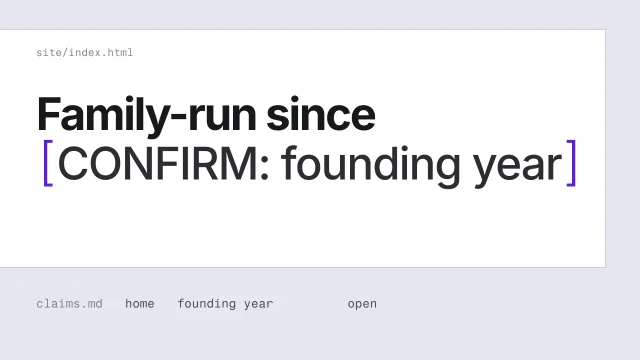 Never invent a factHandle a fact you can't confirm without putting a believable guess on the page.3 min video
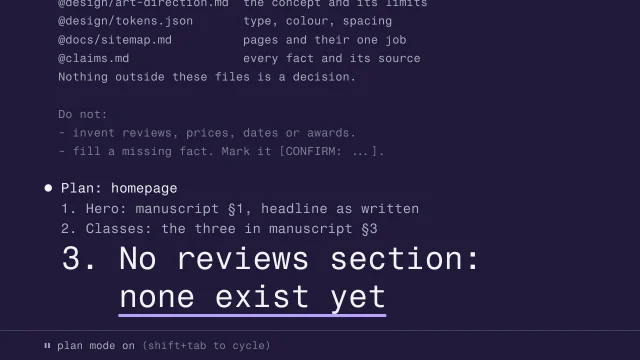 Brief an AI agent before it writes codeGive an agent everything it needs, and nothing it can misread, before it builds.4 min video
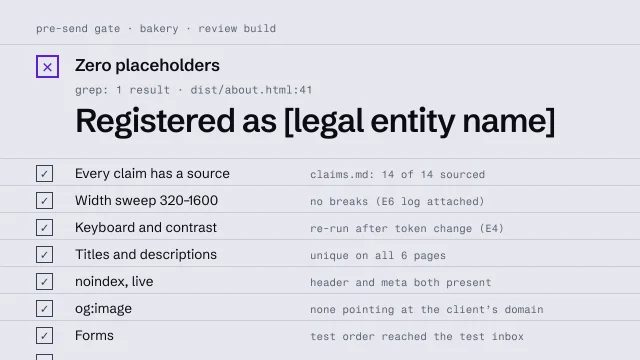 Run a pre-send gateCheck a build against a fixed list before anyone outside sees it.4 min video