Test · Aesthetary Original
Go live without breaking anything
You'll be able to move a domain to the new site while its email, old links and search keep working, and prove it.
In this skill
Copy every record before you change one.
Change only the web records
- Copy every record first
- Change the two web records
- Leave the mail records alone
- Compare with the copy
Move only what the website needs, keep everything else, and prove it live.
3 more scenes are in the video and the transcript.
Transcript
The owner has signed off, and today the site goes live on the shop's own domain. That domain already does other jobs: it carries the shop's email, and old links point at it. Going live means moving the website without breaking any of them.
Everything here runs on this computer: this file stands in for the domain's settings, and a local server plays both hosts. Two records send the website to the old host. Two say where the shop's mail goes, and one says who may send it. Before you change anything, save a copy of the whole list. If something breaks, the copy is how you put it back.
Then change only the two web records, to the values the new host gives you: the domain's address, and www. Compare with the copy. Two lines changed. The mail lines are exactly as they were. One trap. Some hosts offer to take over the domain's name servers, these two lines. New name servers start empty, so copy the mail records across first, or the shop's email stops arriving.
Now ask the domain, the way a mail server would. Same two mail servers, same order, same sending rule. And the website's address is the new host. Each answer can be remembered for an hour here. Until then, some visitors, and your own computer, may still see the old site. Check from a phone off wifi before you call it broken.
The host then gets a certificate for the domain, usually within minutes. Check it: plain http redirects to https, and the certificate names this exact domain. Here it's from a stand-in on this computer; on the real address, the browser shows no warning.
Next, old addresses. The old site's menu was a picture, at its own address. On the new host, that address is not found. So write a redirect map: every address that used to work, and where it goes now. The menu picture goes to today's bread, the page that does its job now. The www name, the host's own address and the review link all go to the domain. Make each one a 301, a permanent redirect, so browsers and search engines carry links and results across. Then ask every old address for its answer. Don't skip the host's own address. It serves the same site, so without a redirect it competes with your domain in search.
The old host still shows the old site at its own address, with the wrong hours. Keep a copy, then take it down. Here, that means moving it off the stand-in host, into the archive. Now that address answers not found.
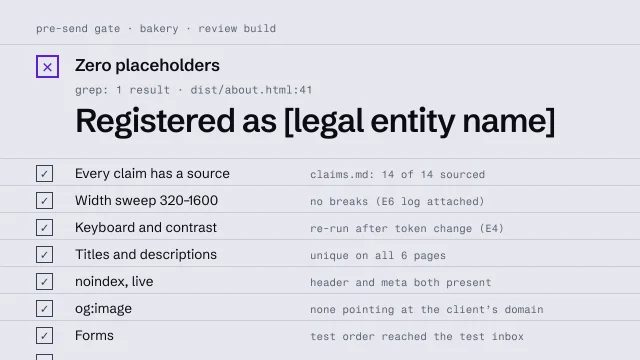
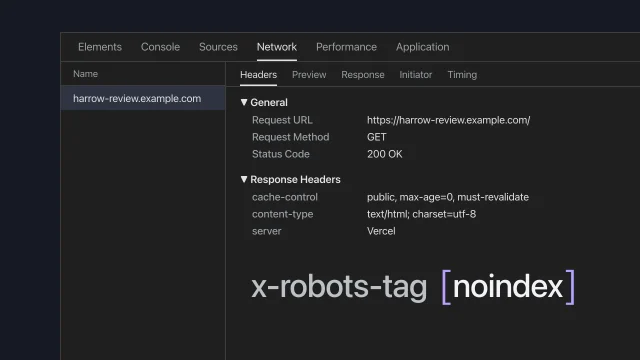
Now run the go-live gate on the real address. Five lines pass. Four fail, the ones people forget: the live site still tells search engines to stay away. Don't fix that page by page. Flip one switch to live and rebuild. The noindex tag and header go, every page gets its own address, and a sitemap is written. The build also sets the share picture, with its full live address. Get that right before anyone shares the link, because chat apps often keep the first card they see.
Then run the whole gate again, from the top. Every line passes, on the real address. Look for yourself in a fresh private window, since your own browser remembers the old site. The new hours are there. Sign it with your name, the date and the version that passed. The shop's email still arrives, and every old link lands somewhere real.
Move only what the website needs, keep everything else, and prove it on the live address.